How it works
From notebook to clear records in three steps.
Start with what you already have. You can type tenants in one by one or paste the list from your notebook or Excel sheet.
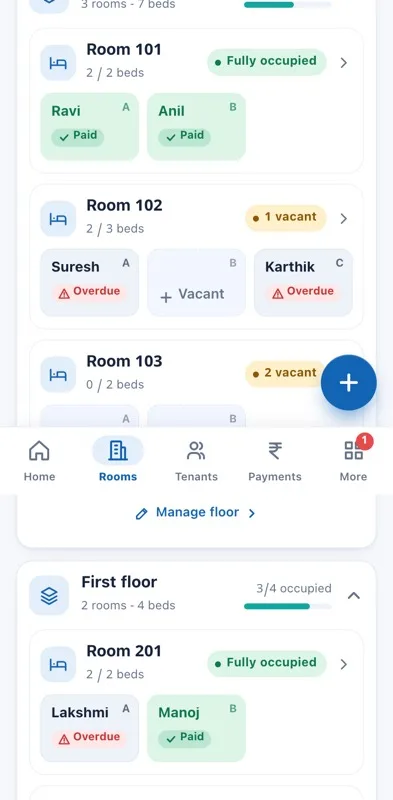
Step 1
Add floors, rooms and beds.
- Pick PG or flats or houses for the property.
- Add floors and rooms, and the number of beds in each room.
- Set the rent for each bed or unit, and your UPI ID for reminders.
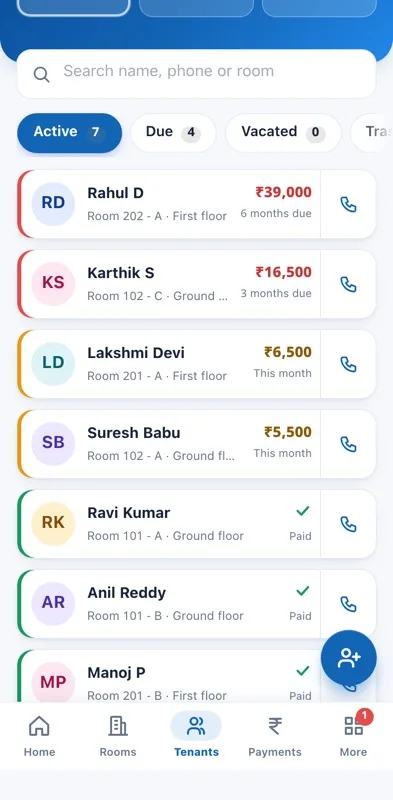
Step 2
Add your tenants.
- Name, phone, room and bed, rent, deposit and move-in date.
- Old dues can be added so each balance starts correct.
- Or import a list: paste it or load a file, up to 300 rows. Rows with a problem are shown before anything is added.
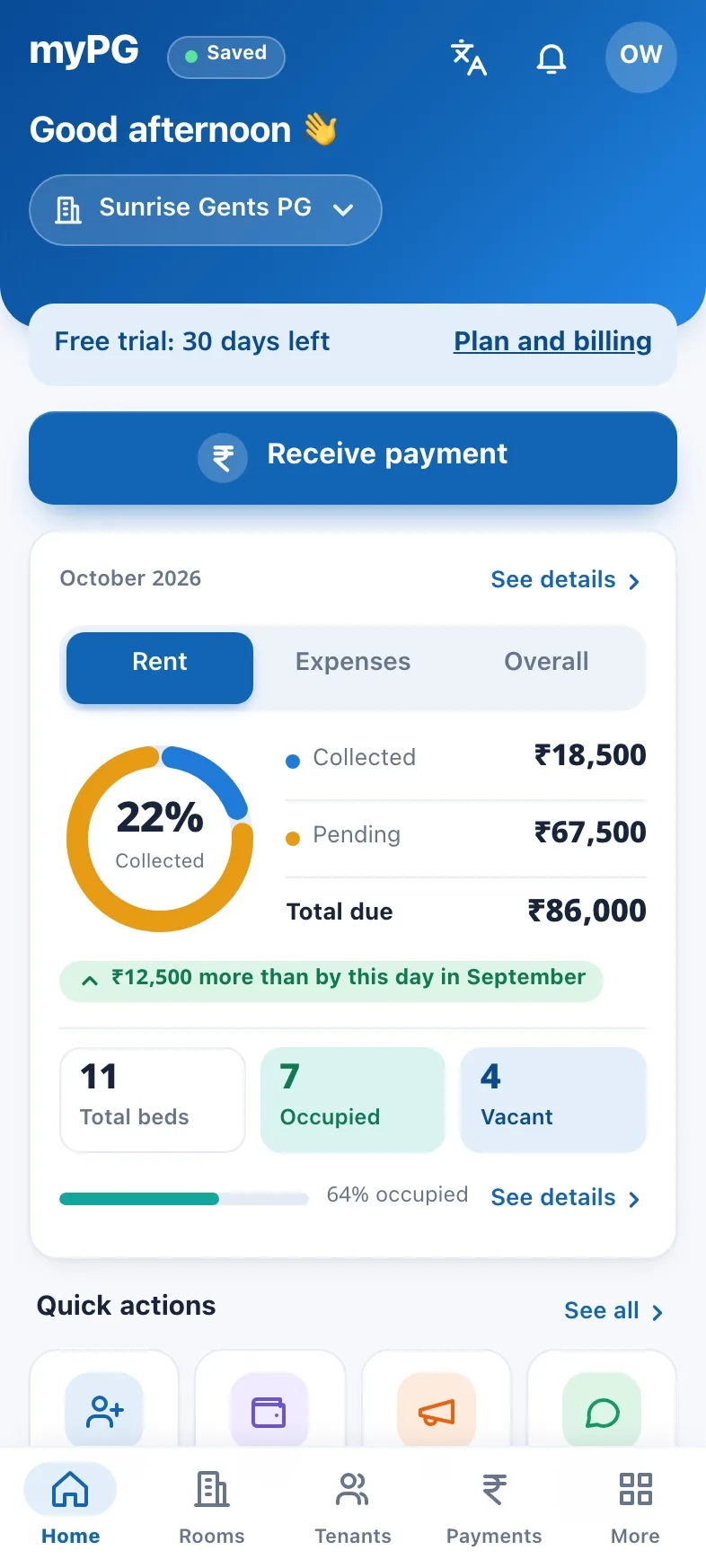
Step 3
Collect, remind and keep track.
- Tap Receive payment when rent comes in. A receipt number is given and you can share it.
- Remind opens WhatsApp with the message ready; you tap Send.
- Home shows collected, pending and expenses for the month.
Be one of the first owners on Rentclear.
We are starting with a small pilot in Bengaluru and will help you set up.